See the E-Prescriptions Module
Open e-prescribing from the chart with the allergy banner and preferred pharmacy in view, write amlodipine through DoseSpot to the pharmacy, and see pending prescriptions flagged in the Pharmacy queue. Filmed in the live app on a synthetic patient against DoseSpot staging.
Send the script from the visit
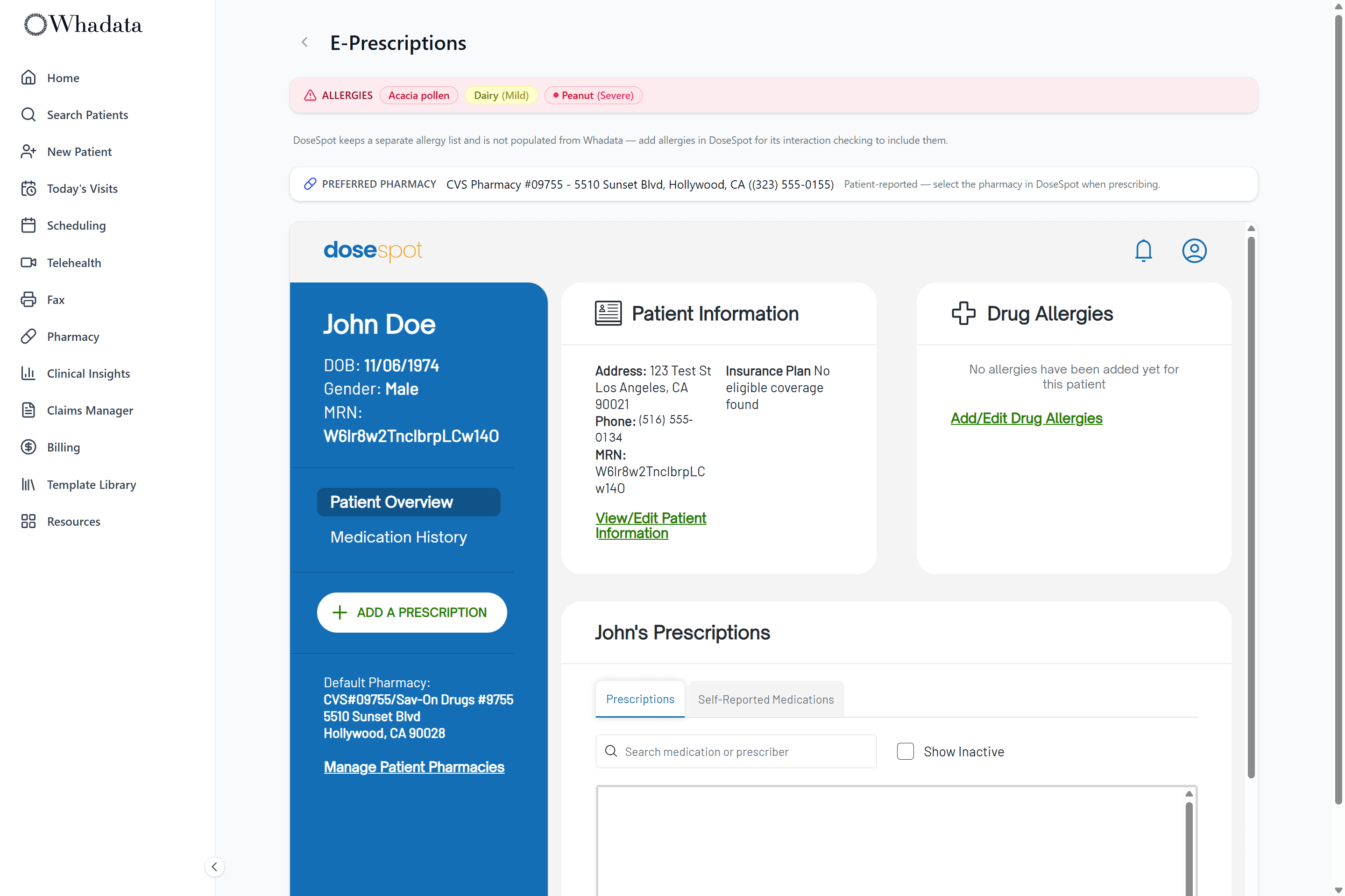
Electronic prescribing runs through DoseSpot, embedded in the patient's chart. Write a new prescription, renew, or handle a change request, and DoseSpot routes it to the pharmacy, without a second system or a re-typed medication list.
- Full e-prescribing through DoseSpot, in the chart
- New prescriptions, renewals, and change requests
- Controlled substances (EPCS) where your providers are enrolled
- Routed to the pharmacy by DoseSpot
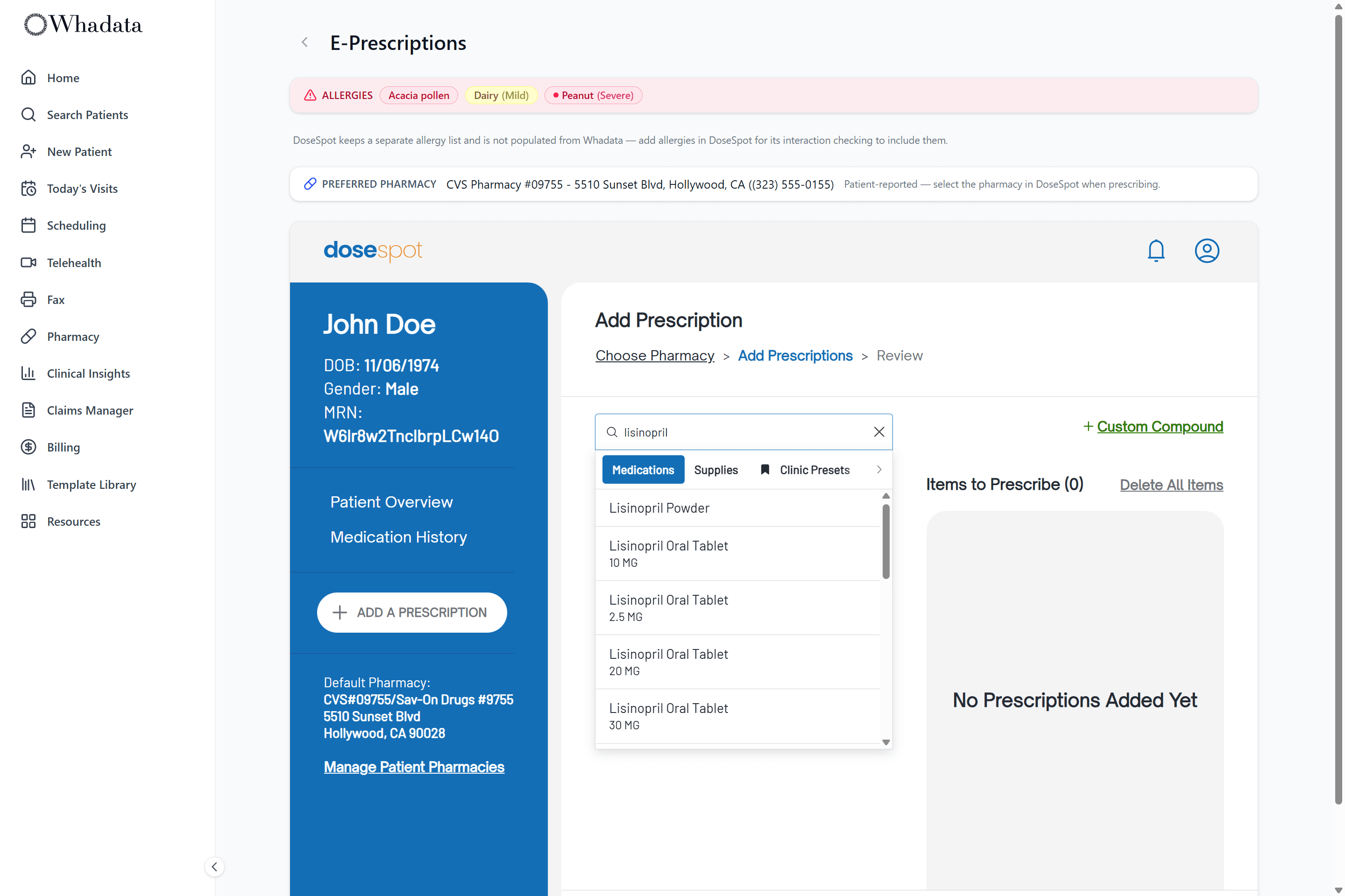
The allergy list is right there
An allergy banner sits in the header wherever you prescribe, so you see it before you write. Reactions are severity-coded, a green NKDA chip says no known drug allergies out loud, and an explicit 'not recorded' state means silence never reads as safe.
- Always-visible allergy banner at the point of prescribing
- Severity-coded chips for each reaction
- Explicit NKDA chip when there are no known drug allergies
- "Not recorded" state when no allergy history exists
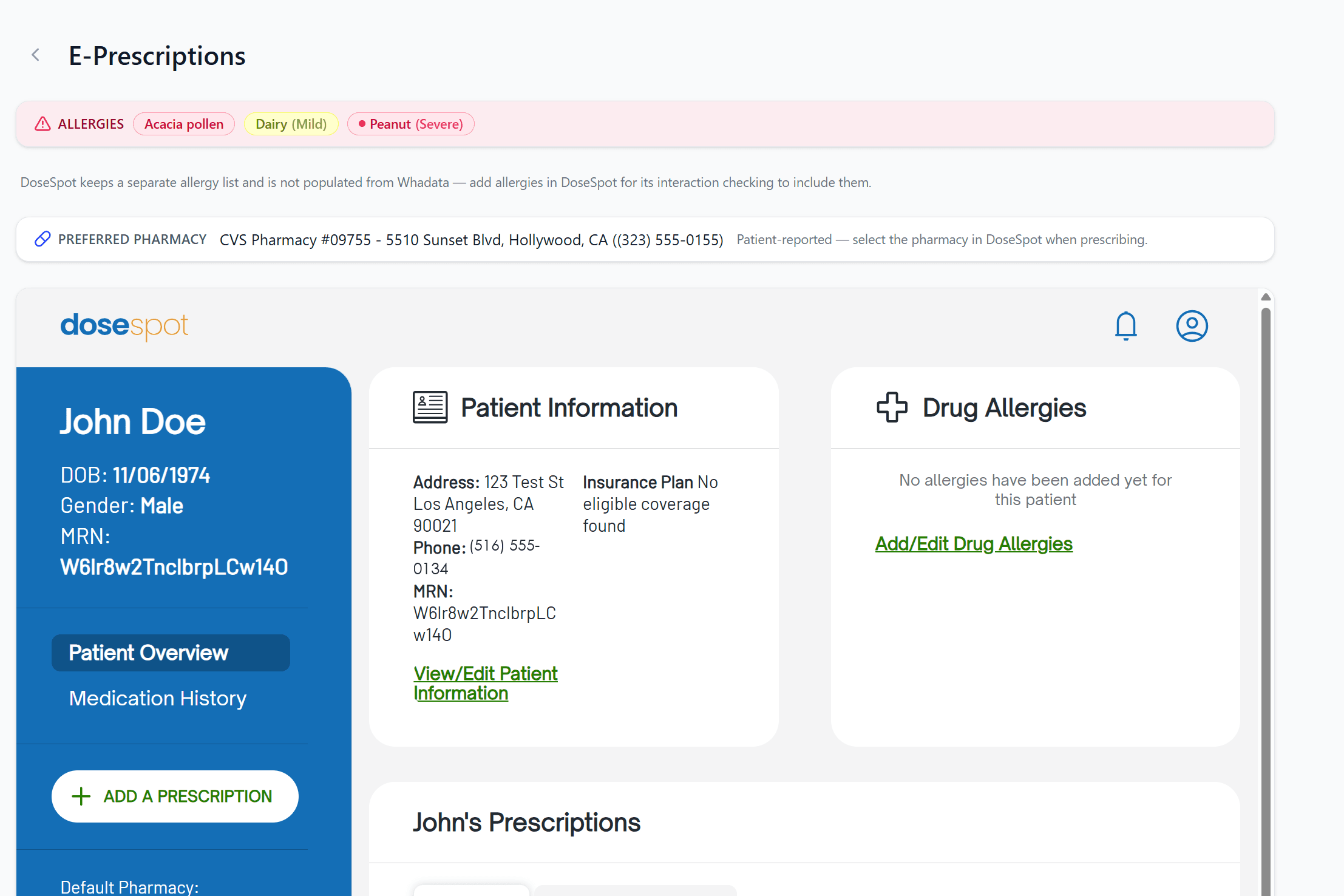
Their pharmacy, already on file
The patient's preferred pharmacy is pulled from their profile, or from the latest intake if the profile is blank, and shown right on the prescribing page, so you are not asking every visit which pharmacy and where.
- Preferred pharmacy surfaced from the profile
- Falls back to the latest submitted intake
- Collected once at portal intake, reused every visit
- Shown on the prescribing page for reference
Questions worth an answer
Who powers e-prescribing in Whadata?
DoseSpot, embedded directly in the patient's chart. You write a new prescription, renew one, or handle a change request, and DoseSpot routes it to the pharmacy. There is no second system to open and no medication list to retype.
Can I prescribe controlled substances?
Yes, where the provider is enrolled with DoseSpot for controlled substances. Enrollment is per provider in DoseSpot's own flow; non-controlled prescribing works for every provisioned prescriber.
How are allergies shown before I prescribe?
An allergy banner sits in the header wherever you prescribe, so you see it before you write rather than after. Reactions are severity-coded, a green NKDA chip states no known drug allergies out loud, and an explicit not-recorded state means silence never reads as safe.
Do I have to ask which pharmacy every visit?
No. The patient's preferred pharmacy comes from their profile, or from their latest intake if the profile is blank, and it is shown right on the prescribing page.
Prescribing sits in the visit
The chart, the allergy list, and the note that produced them are the same record.
Go deeper
Terms this module works with
- RxNorm: A standardized naming system for medications, used to code drugs consistently across systems.
- Electronic Prescribing of Controlled Substances (EPCS): DEA-compliant electronic prescribing of controlled substances, requiring identity proofing and two-factor authentication.
- Prescription Drug Monitoring Program (PDMP): A state database of controlled-substance prescriptions that clinicians check before prescribing.
Next steps
- Compare Whadata to your current EHR: Side by side with six platforms on scope, pricing, and AI.
- Pricing: every module for one posted rate per provider.
- Glossary: the EHR, practice management and revenue cycle terms behind the platform.
One chart, script included
Prescribe from the visit, with the allergy list in view and the pharmacy already known.