The notes done before the patient stands up
Hit record and talk to your patient in any of 22 languages. Scribe transcribes live with speaker labels, drafts the note in your template, and turns the visit into billing-ready codes. You watch the patient, not the keyboard.
See the Scribe Module
Record a visit and watch it transcribe live, turn it into a SOAP note, review it, and open it on the tablet app. Filmed in the live app on a synthetic patient.
Watch the note build as you talk
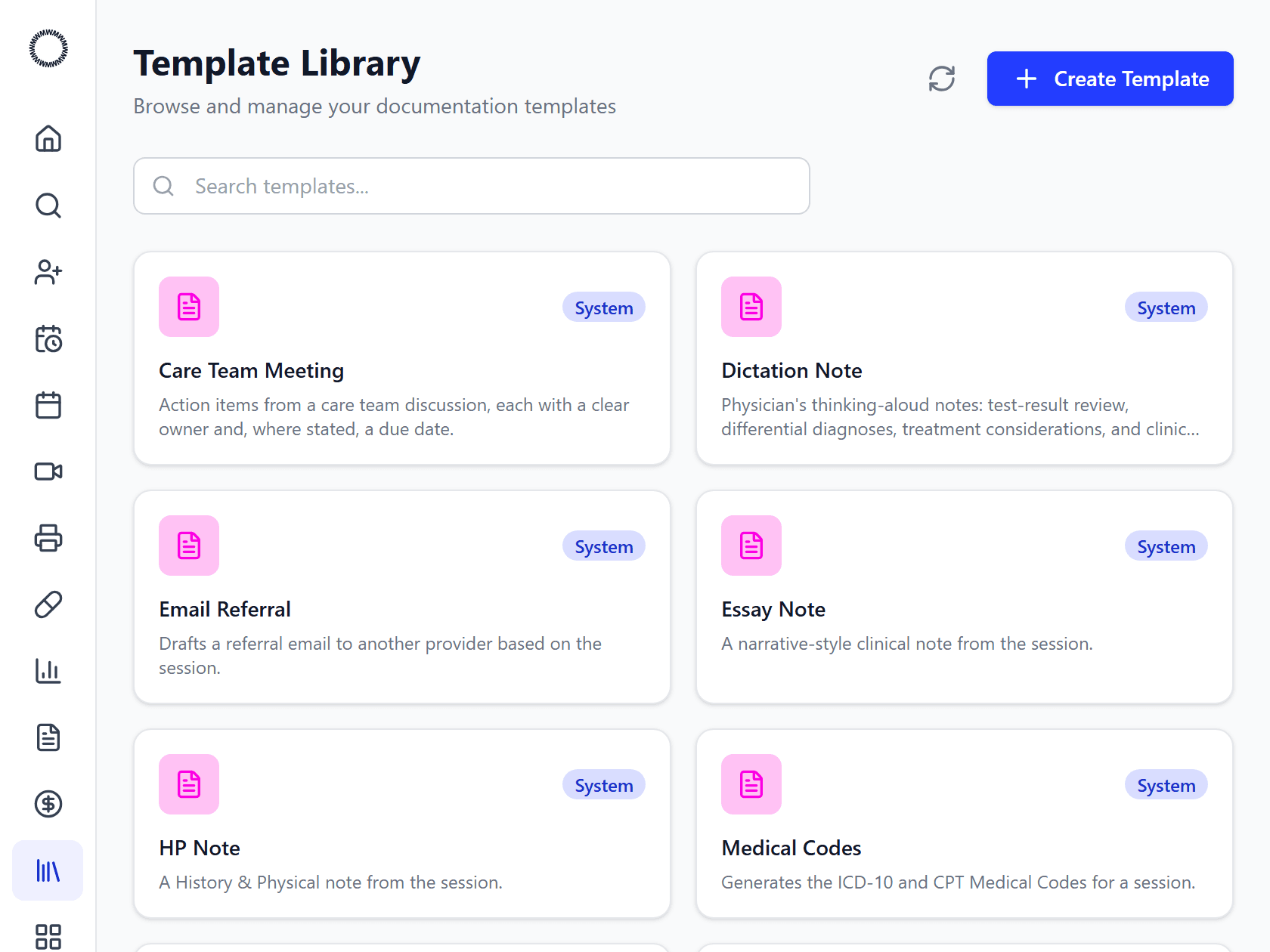
Open Scribe on your phone, tablet, or laptop and hit record. Words appear as you speak: interim text first, then locked-in final lines, labeled by speaker. Switch on multi-language and the original sits side-by-side with the English translation. Step out? Pause, then resume right where you left off.
- Speaker labels: clinician vs. patient
- Interim then final text, each with a confidence score
- Pause / resume mid-visit; auto-reconnect if the network drops
- Multi-language transcription across 22 languages
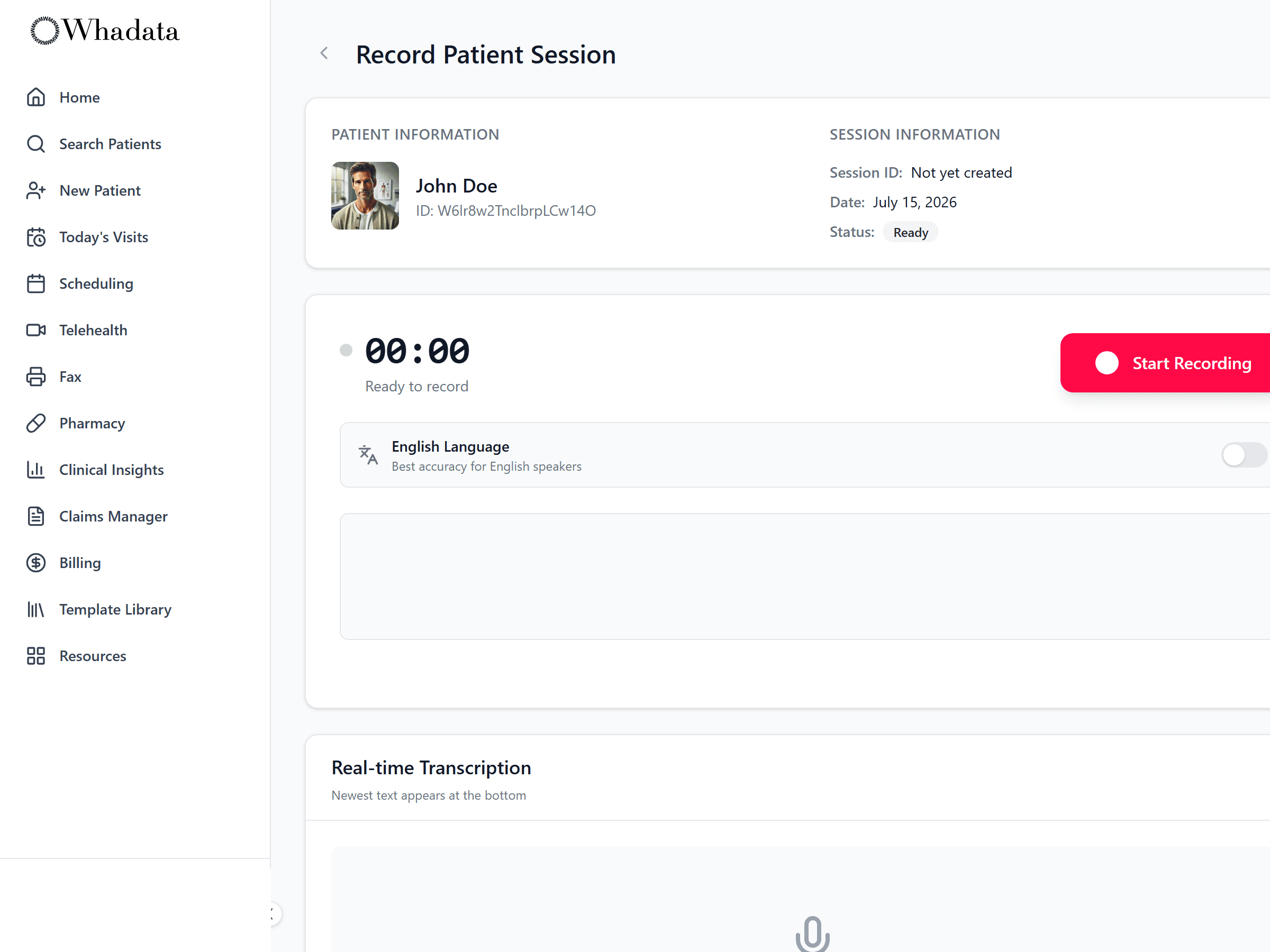
Your note your structure
Pick a format and Scribe writes the note from the transcript: SOAP, H&P, referral letter, dictation, patient summary, care-team note, and more. Don't see yours? Upload your existing template as a Word, PDF, or CSV and Scribe learns its layout. Edit any draft in rich text and regenerate as needed.
- Built-in: SOAP, H&P, referral, dictation, patient summary, care-team
- Upload your own template (Word / PDF / CSV); AI matches the format
- Tag templates by specialty across 20 fields
- Rich-text editing and one-click regenerate
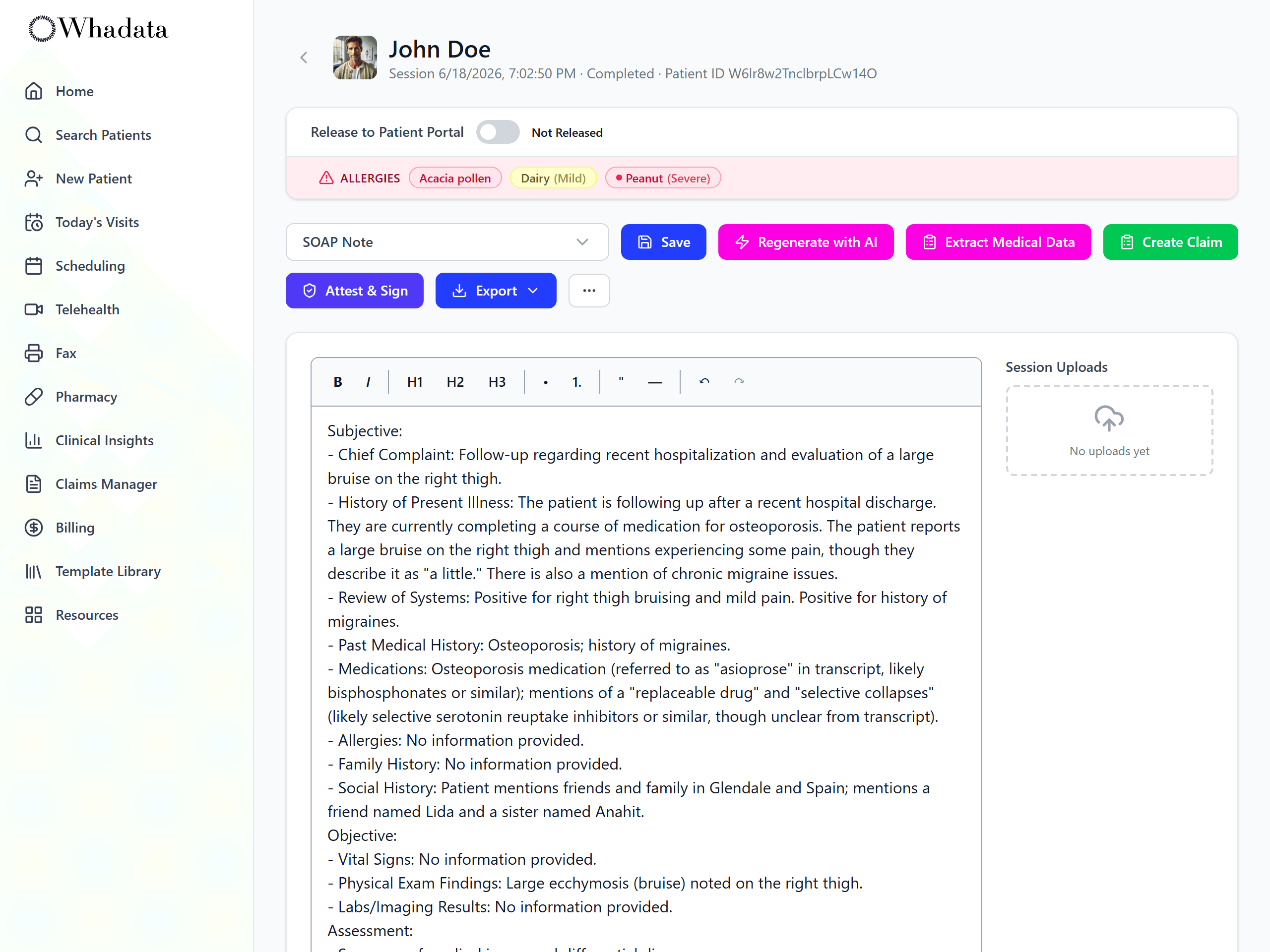
The finished note, ready to sign
The transcript comes back as a structured note in the format you picked: subjective, objective, assessment, and plan, each built only from what was actually said. Review it, edit anything, attest and sign, release it to the patient portal, or export it, without retyping the visit.
- Structured SOAP, H&P, referral, and more
- Built only from what was said in the visit
- Review, attest and sign, and release to the portal
- Extract codes or create a claim in one click
Questions worth an answer
What languages does Scribe understand?
22 language variants, including English (US, UK, Australian, Indian), Spanish, Mandarin, Cantonese, French, German, Italian, Japanese, Korean, Portuguese, Russian, Vietnamese, Arabic, Hindi, Armenian, and Persian. Turn on multi-language and the original sits side by side with the English translation. The conversation happens in the patient's language; the documentation comes out in English.
What note formats can Scribe write?
SOAP, H&P, referral letter, dictation, patient summary, care-team note, and more. If your practice uses a format that is not in the list, upload your existing template as a Word, PDF, or CSV file and Scribe learns its layout. Any draft can be edited in rich text and regenerated.
Does Scribe sign the note?
No. Scribe drafts from the transcript and you decide. You review the note, edit anything, then attest and sign it yourself. Whadata records what you changed against the AI draft and signs the result with a key issued to you and held in hardware, so the chart shows who decided what.
Can I use Scribe on my phone?
Yes. Scribe runs on phone, tablet, and laptop, on the web and in the iOS and Android apps. If you step out mid-visit, pause and resume where you left off.
Where does the transcript go after the visit?
Into the chart as a structured note in the format you picked, built only from what was actually said. From there you can release it to the patient portal or export it. Insights reads the same transcript to extract vitals, medications, and conditions, and the coding engine reads the note to build the claim.
Where the note goes next
The transcript is the input for the rest of the platform, not a document that stops at the chart.
Go deeper
Terms this module works with
- SOAP note: A standard clinical note structured as Subjective, Objective, Assessment, and Plan.
- History and Physical (H&P): A comprehensive note documenting a patient’s history and physical examination, typically for a new patient or admission.
- AI medical scribe: Software that uses AI to transcribe the clinician-patient conversation and draft the clinical note in real time, reducing after-hours documentation.
Next steps
- Compare Whadata to your current EHR: Side by side with six platforms on scope, pricing, and AI.
- Pricing: every module for one posted rate per provider.
- Glossary: the EHR, practice management and revenue cycle terms behind the platform.
Stop typing after dinner
Book a demo and see Scribe in action on your specialty's workflow.