Every channel, on the record
Fax, team messaging, patient messaging and appointment texts in one module. Incoming faxes are matched to the right patient, staff and patients message inside the record, and appointment confirmations come back by text. No fax machine, no outside chat app, no separate reminder service.
See the Communications Module
An inbound fax auto-assigned to the right patient, a patient message answered beside the chart, and an appointment confirmed by the patient's YES reply to a text reminder. Filmed in the live app on a synthetic patient.
Send a fax without a fax machine
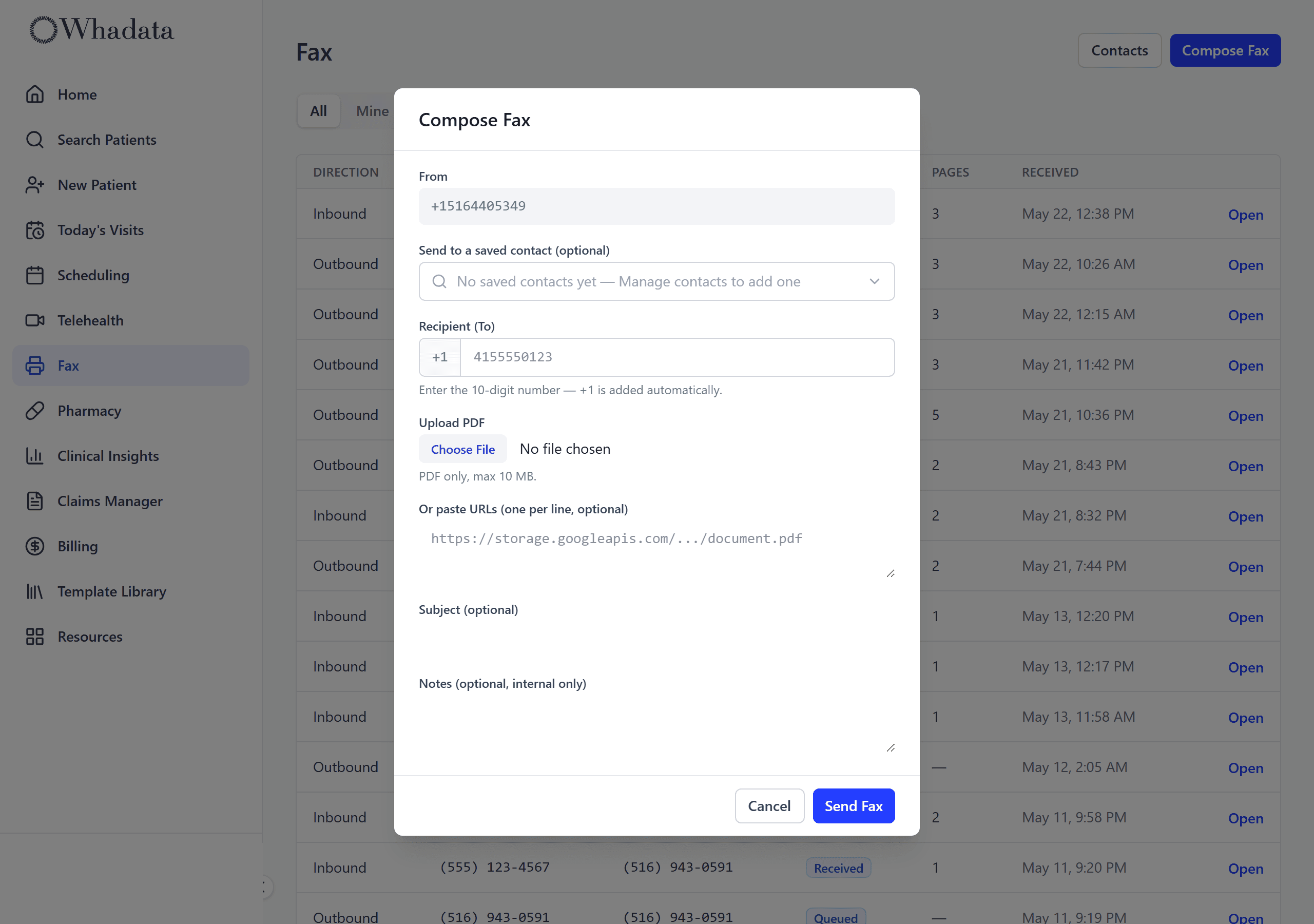
Every practice gets its own fax number. Upload a PDF, pick a saved contact or type a number, and send. Delivery status comes back to the inbox, so you know it went through instead of staring at a confirmation page.
- Your own provisioned fax number
- Send any PDF from the dashboard
- Saved fax-contact directory
- Delivery status: queued, sent, failed
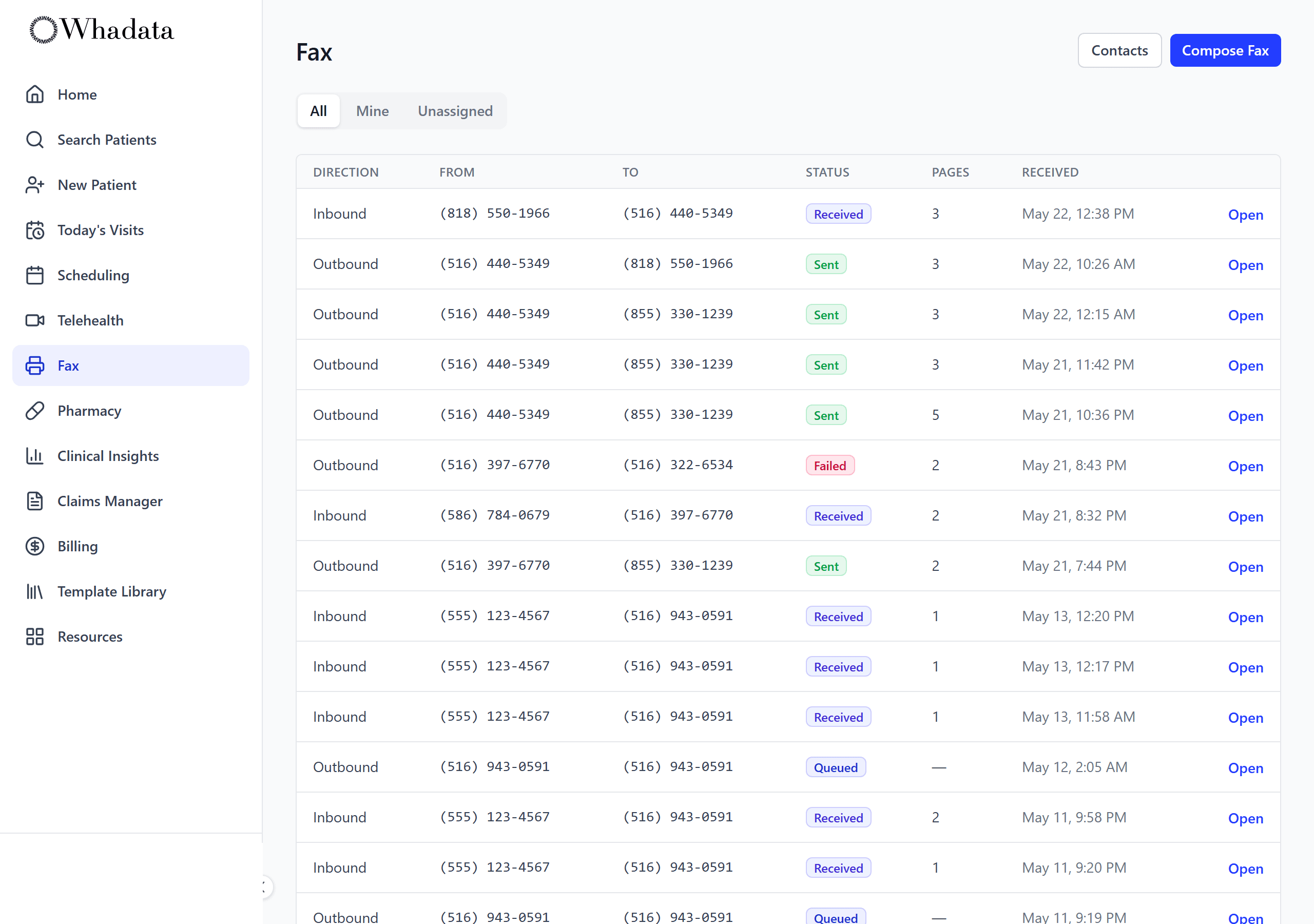
Every incoming fax, in one inbox
Inbound faxes land in a shared inbox as PDFs, not on a machine in the back room. Each one is read on arrival for the patient's name and date of birth, so it can be routed. Open, read, and act on them from the same screen as the chart.
- Shared inbound inbox, faxes as PDFs
- OCR on every incoming fax
- Delivery and assignment status at a glance
- Re-run OCR if a scan comes in rough
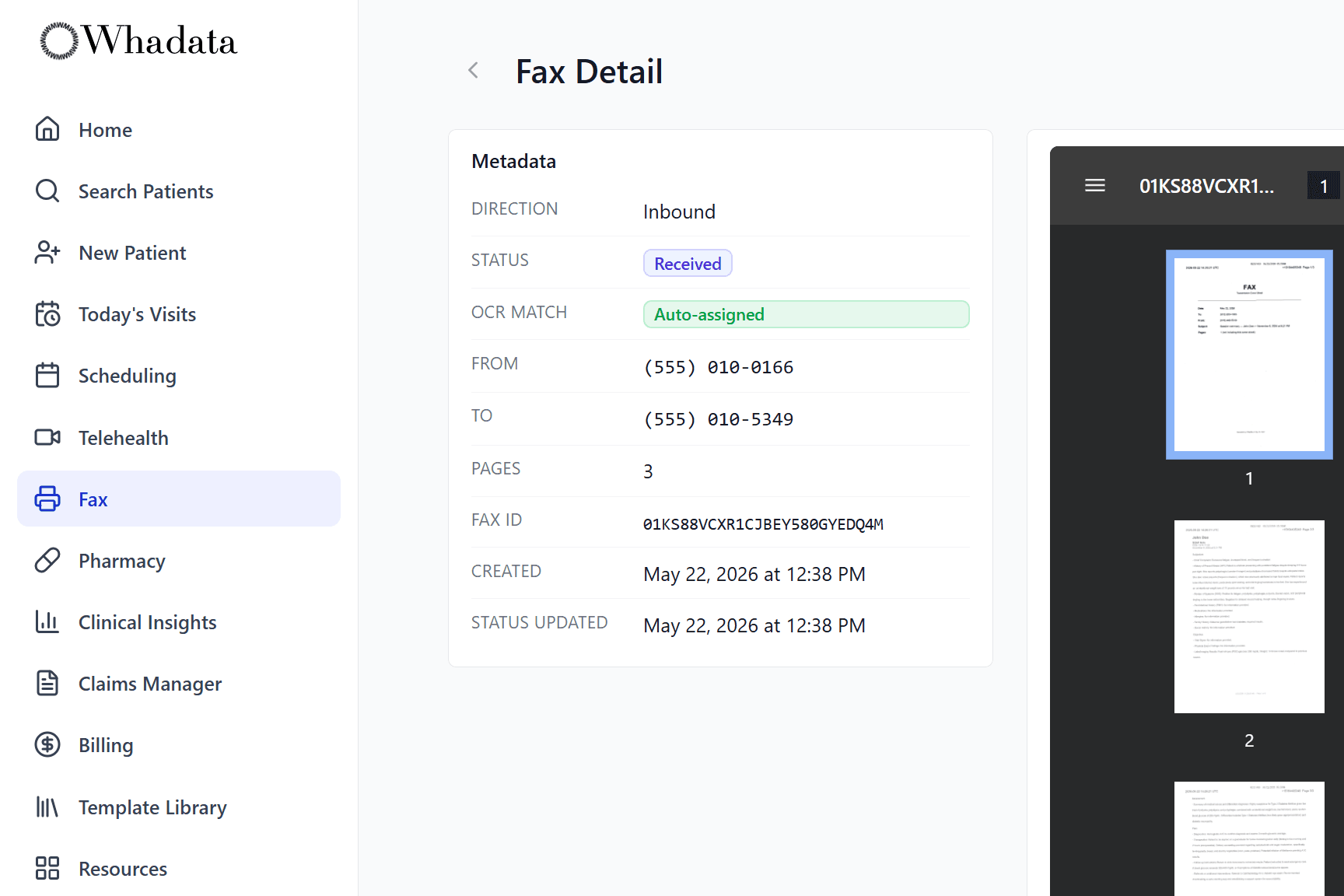
It figures out whose fax it is
OCR reads each inbound fax and matches it to a patient automatically. High-confidence matches are assigned on their own; anything unclear is flagged for a quick manual assignment. Either way you know whose fax it is without anyone reading the pile on the counter.
- OCR auto-matches faxes to the patient
- High-confidence matches assigned automatically
- Unmatched faxes flagged for one-click assignment
- Every match recorded on the fax record
Your team, talking in the record
Staff message each other in threads inside the practice, on the web and on the iOS and Android apps. Every role can use it, front desk included, and an unread badge shows what is waiting. Nobody has to move a conversation about a patient into an outside chat app.
- Threads between staff in your practice
- On web, iOS and Android
- Every role, front desk included
- Unread badge for what is waiting
Patients message the care team
Where the practice turns it on, patients message their care team from the portal. Each patient has one thread with the practice rather than with a single provider, and clinical staff answer it from the same record as the chart. The practice decides which patients can message.
- One care-team thread per patient
- Patients write from the portal
- Turned on by the practice, granted per patient
- Answered by clinical staff, next to the chart
Confirmations that come back by text
Patients get one text before each appointment, at a lead time the clinic sets. They reply YES to confirm or CANCEL to cancel, and the schedule updates on its own. A cancel by text counts as a patient cancellation, so the clinic's policy applies. Texts go only to patients who have given consent, and never overnight.
- One text per appointment, at a lead time the clinic sets
- Reply YES or CANCEL, and the schedule updates
- Sent only with the patient's consent
- No texts between 9 PM and 8 AM, clinic time
Questions worth an answer
Do I need a fax machine or a fax line?
No. Every practice gets its own provisioned fax number. You upload a PDF, pick a saved contact or type a number, and send from the dashboard. Delivery status comes back as queued, sent, or failed, so you know it went through.
What happens to an incoming fax?
It lands in a shared inbox as a PDF, is read on arrival for the patient's name and date of birth, and is matched to a patient automatically. High-confidence matches are assigned on their own; anything unclear is flagged for a one-click manual assignment. Every match is recorded on the fax record.
What if a fax comes in badly scanned?
You can re-run OCR on it from the fax record. If the match is still unclear, the fax stays flagged for manual assignment rather than being filed against the wrong patient.
Does Communications do patient or team messaging?
Yes. Staff message each other in team threads on web and on the iOS and Android apps, front desk included. Where the practice turns it on, patients message their care team from the portal, in one thread per patient that clinical staff answer.
How do SMS appointment confirmations work?
Patients with texting consent on file get one text before each appointment, at a lead time the clinic sets. Replying YES confirms it and CANCEL cancels it, and the schedule updates on its own. No texts go out between 9 PM and 8 AM in the clinic's time zone, and patients can reply STOP to opt out.
Where it all ends up
A matched fax, a patient message and a confirmed appointment land in the same record everything else does.
Go deeper
Terms this module works with
- Cloud fax: Sending and receiving fax through software rather than a physical machine.
Next steps
- Compare Whadata to your current EHR: Side by side with six platforms on scope, pricing, and AI.
- Pricing: every module for one posted rate per provider.
- Glossary: the EHR, practice management and revenue cycle terms behind the platform.